Streamlining Visual Communication with the 3D Render Graph Icon
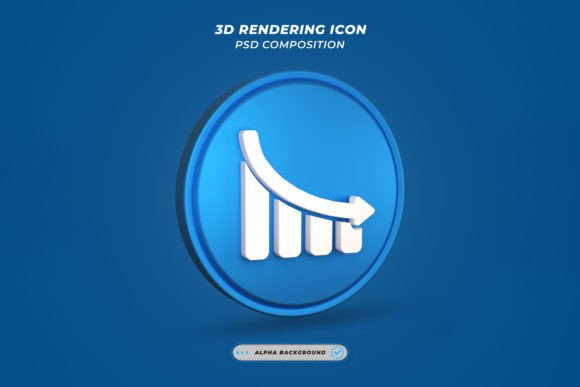
In the modern digital landscape, visual clarity is not merely an aesthetic choice; it is a functional necessity. Whether you are preparing a quarterly business review, designing a user interface for a new application, or crafting educational materials for students, the ability to convey complex data relationships quickly is paramount. This is where the 3d Render Graph Icon becomes an indispensable asset in your creative toolkit. Unlike flat, two-dimensional representations that can sometimes feel sterile or overlooked, a three-dimensional render adds depth, realism, and professional polish to your presentations.
Integrating high-quality graphical elements into your workflow does not have to be a time-consuming bottleneck. The primary value proposition of this specific asset lies in its balance between superior visual fidelity and operational efficiency. By understanding how to leverage a pre-rendered, high-resolution icon, professionals across various industries can significantly reduce production time while elevating the perceived quality of their output.
The Role of High-Quality Assets in Professional Workflows
When we discuss workflow optimization, we often focus on software automation or project management methodologies. However, the assets we choose to include in our final deliverables play a critical role in how efficiently we can execute a project. A 3d Render Graph Icon serves as a modular component that fits seamlessly into broader design systems. It acts as a visual anchor, drawing the viewer’s eye to key data points or structural relationships within a document or interface.
For marketers and entrepreneurs, consistency is key to brand recognition. Using a standardized, high-quality icon ensures that your visual language remains coherent across different platforms, from social media graphics to printed annual reports. The resolution of 4500 x 3000 pixels at 300 DPI ensures that the image remains crisp whether it is displayed on a high-density mobile screen or printed in large format for a conference booth. This versatility eliminates the need to create multiple versions of the same graphic for different mediums, streamlining the asset management process.
Usability and the Smart Object Advantage
One of the most significant barriers to adopting high-end 3D graphics is the technical expertise required to manipulate them. Traditional 3D modeling requires specialized software and a steep learning curve. This template bypasses those hurdles by utilizing Smart Object Replacement Layers within Adobe Photoshop. This feature is designed specifically for users who prioritize ease of use without sacrificing control.
The file structure is meticulously organized, allowing for intuitive navigation. The process is straightforward: you simply double-click on the smart object layer, make your necessary edits in the separate window, save, and the changes automatically update in the main composition. This non-destructive editing workflow means you can experiment with different colors, textures, or embedded logos without risking the integrity of the original render. It empowers designers, freelancers, and even non-designers to achieve professional results with just a few clicks.
- Efficiency: Reduce editing time by leveraging pre-built structures.
- Flexibility: Change colors and elements to match specific brand guidelines instantly.
- Quality Control: Maintain high resolution and lighting consistency across all edits.
Integration Across Different Professional Contexts
The utility of a 3d Render Graph Icon extends far beyond simple decoration. Its application varies depending on the stage of your project and the specific goals you aim to achieve. Understanding these contexts helps in planning when and how to deploy such assets effectively.
Pre-Project Planning and Pitching
Before a project is fully funded or approved, visual aids can be the deciding factor. Entrepreneurs and consultants often use pitch decks to communicate abstract concepts. A realistic 3D graph icon can represent growth, connectivity, or data analysis more tangibly than a bullet point list. Because the file includes both PSD and JPG formats, you can quickly insert the JPG into PowerPoint or Keynote for rapid prototyping, or use the PSD if you need to customize the look further for a high-stakes presentation.
During Content Creation and Design
For bloggers, educators, and publishers, breaking up text with relevant visuals improves readability and retention. When explaining statistical trends or network structures, a 3D icon provides a focal point that guides the reader through the narrative. The ability to easily change colors means you can align the icon with the specific theme of each article or chapter, ensuring visual harmony throughout your content library. This adaptability supports a consistent publishing schedule, as you are not waiting on custom illustrations for every post.
Post-Project Reporting and Analysis
In the aftermath of a campaign or fiscal quarter, reporting accuracy and clarity are essential. Business analysts and small business owners can use these icons to highlight key performance indicators in internal reports. The high DPI ensures that when these reports are printed for board meetings, the graphics do not appear pixelated or amateurish. The organized layers allow for quick updates if last-minute data changes require a visual adjustment, supporting agile decision-making processes.
Technical Considerations and Best Practices
To get the most out of this resource, it is important to understand the technical specifications and how they interact with your existing tools. The file is provided in PSD format, which is compatible with Adobe Photoshop and many other advanced image editing software that support layers. The inclusion of a high-resolution JPG also makes it accessible for users who may not have access to full Creative Suite applications but still need a premium-looking asset for web use.
Color Customization: While the base render is optimized for visual impact, all colors can be changed easily. This is crucial for maintaining brand identity. Instead of forcing your brand colors to fit a generic icon, you adjust the icon to fit your brand. Use the hue/saturation adjustment layers or edit the smart object directly to match your exact hex codes.
Resolution Management: With dimensions of 4500 x 3000 pixels, this file is substantial. Ensure your workstation has adequate memory to handle large PSD files smoothly. When exporting for web use, remember to resize and compress the image appropriately to maintain page load speeds, while keeping the original high-res file archived for print needs.
Attribution and Usage Rights: It is important to note that all images used in the preview that are not part of the core icon design are examples for presentation purposes only. They are not included in the download. This distinction is vital for legal compliance and ethical design practices. Always ensure that any additional elements you incorporate into your final design are properly licensed or created by you.
Enhancing Long-Term Productivity
Investing in high-quality, editable templates is a strategy for long-term productivity. By establishing a library of versatile assets like the 3d Render Graph Icon, you reduce the cognitive load associated with starting from scratch for every new task. This allows you to focus on higher-value activities such as strategy, analysis, and creative direction.
Furthermore, the ease of editing encourages experimentation. When the barrier to entry is low, you are more likely to iterate on designs, test different visual approaches, and refine your communication style. This iterative process leads to better outcomes and a more polished final product. Whether you are a hobbyist looking to improve your personal blog or a seasoned marketer managing multiple client accounts, the ability to quickly produce high-quality visuals is a competitive advantage.
In conclusion, the 3d Render Graph Icon is more than just a graphic; it is a tool for efficient communication. By combining high-resolution rendering with user-friendly editing features, it bridges the gap between professional design standards and practical usability. Integrating this asset into your workflow can streamline your production process, enhance the visual appeal of your projects, and ultimately help you convey your message with greater impact and clarity. Thanks for downloading, and be sure to explore other works that may complement your evolving design needs.